
For parents
Getting the right screenshots takes about ten minutes.
Everything comes straight from the GameChanger app on your phone. No exports, no spreadsheets, no asking anyone for files.
- Step 1
Open GameChanger and find the team
On your phone, open the GameChanger app and go to the team you are evaluating. You need to be able to see their games. If you can open a game and see a Box Score tab, you have everything required.
- Step 2
Open a game and tap Box Score
From the team's schedule, open a completed game and tap the Box Score tab. You will see the lineup table first (AB, R, H, RBI, BB, SO), and if you scroll down, small caption lines (2B, HR, SB) followed by the pitching table (IP, H, R, ER, BB, SO) with pitch counts below it.
- Step 3
Take two screenshots per game
Screenshot one: the lineup table, from the top. Screenshot two: scroll down and capture the caption lines plus the whole pitching table, including the Pitches-Strikes line under it. If the lineup is long, take an extra shot so every row is captured. Do not crop. Keep the date visible at the top when you can.
What a good screenshot looks like
Two shots per game: the lineup table from the top, then the captions and pitching table further down.
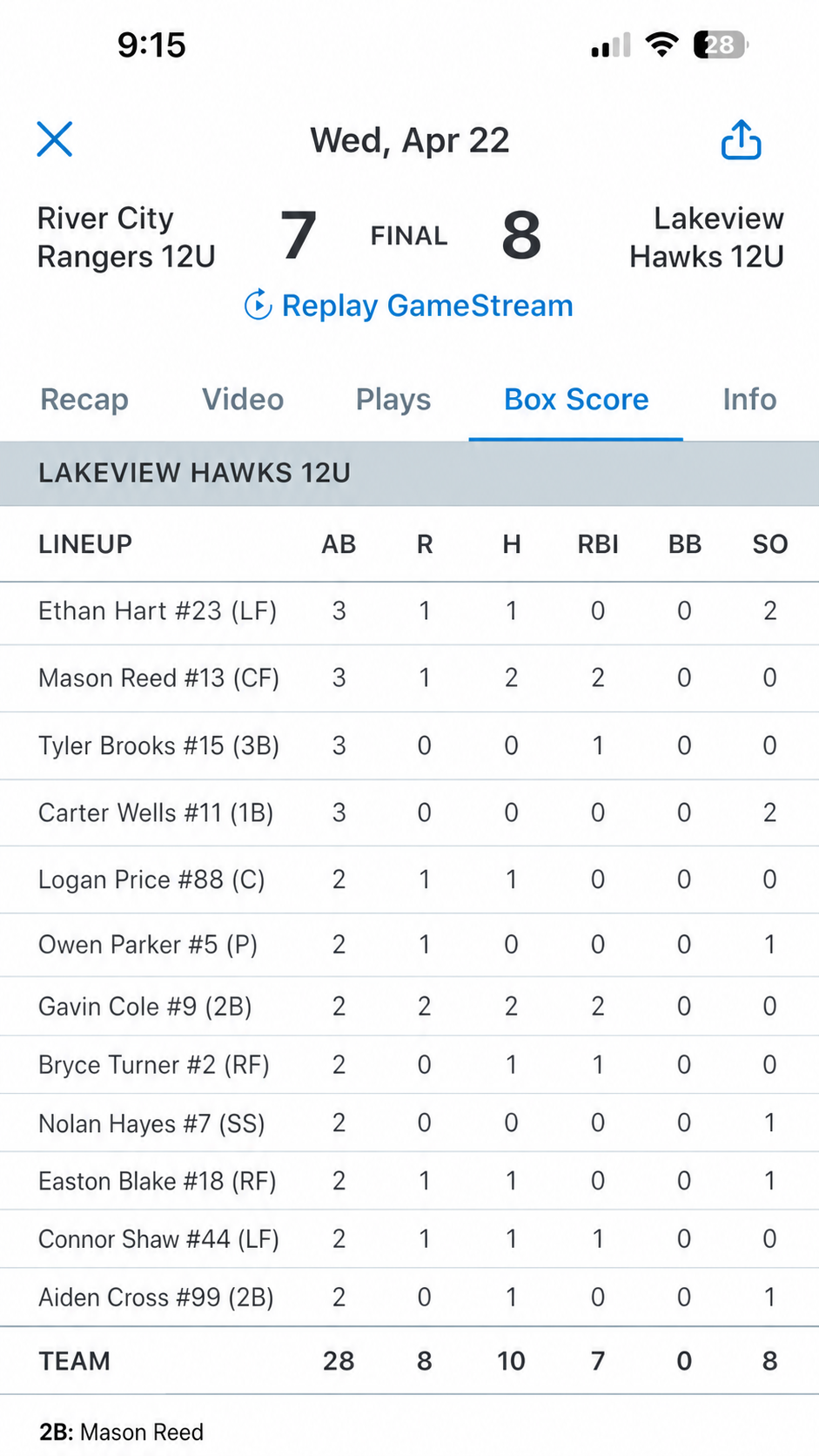
Shot 1: the lineup table (top of the box score). 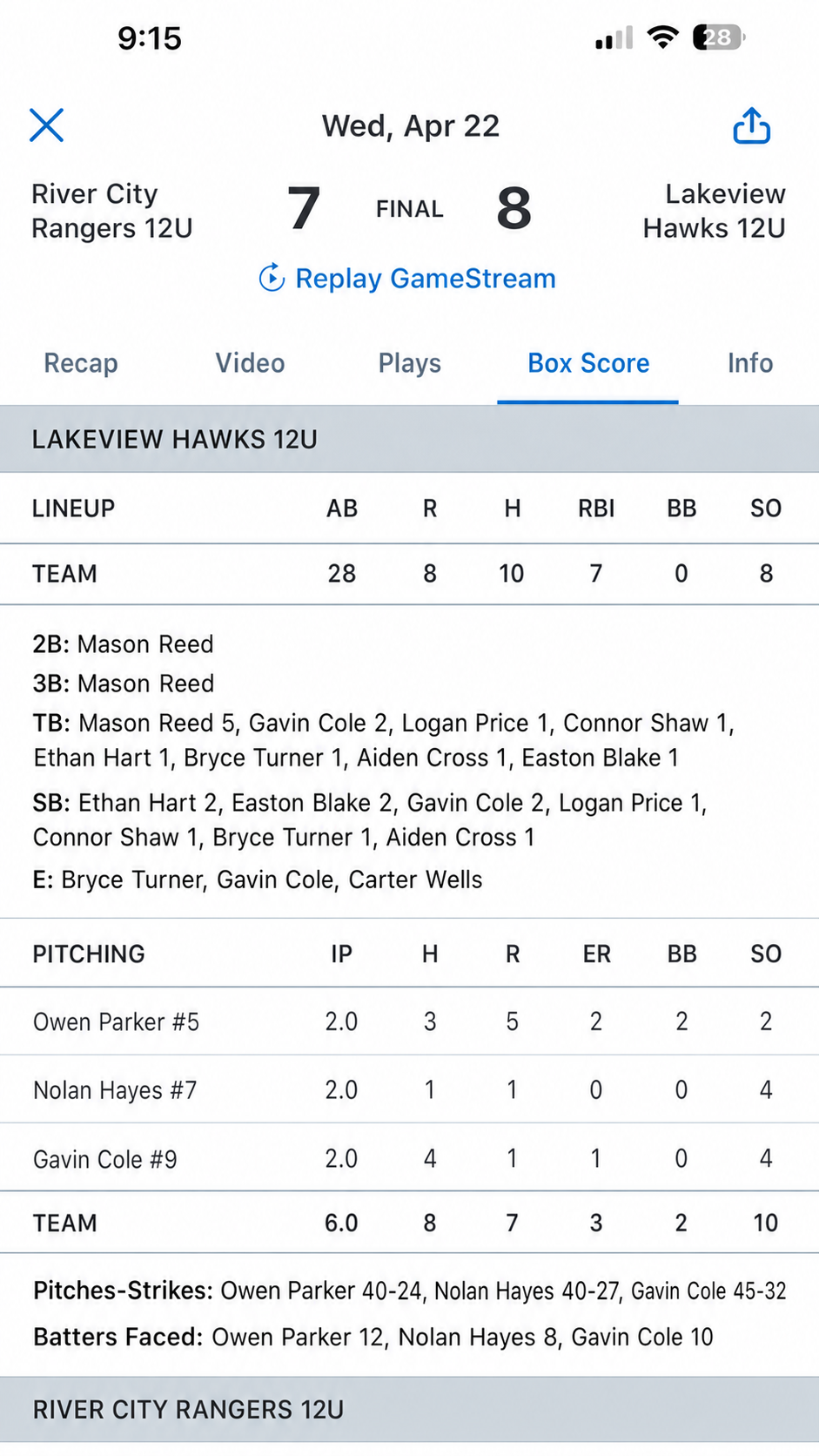
Shot 2: captions plus the pitching table (scroll down). - Step 4
Repeat for the season, not just last weekend
The report finds season patterns: who owns positions, how innings get shared, whether the lineup tightens late in the year. That takes at least 15 games, and more is better. Work backward through the schedule. Up to 60 screenshots fit in one report, which covers most seasons at two per game.
- Step 5
Upload from the same phone
Open your upload link (it is in your email), tap Add screenshots, and select everything you captured. The uploader takes them one at a time and shows progress. When you submit, the analysis starts, a person reviews the finished draft, and you get an email when your report is ready.
Good to know
- Roster or schedule pages are fine to include but are not analyzed; box scores carry everything we need.
- If we find fewer than 15 games, we pause and email you for more screenshots instead of shipping a thin report.
- Scrolled or partially cut-off screenshots are normal. Overlapping shots of the same game merge automatically.
- Your report identifies players on the team by jersey number only. The only name in your report is your own player’s.